
Object 1: The first object was fairly easy to recreate due to the fact that I was following a tutorial. I did have some trouble finding my file after I would save it and I did get confused when differentiating between horizontal/vertical constraints and fixing horizontal/vertical distances. Overall, the object took me around 1 hour to build because I kept having to restart or having to undo lots of my mistakes. FreeCAD is a difficult program to use so I feel like I could have made this in under an hour on another program.
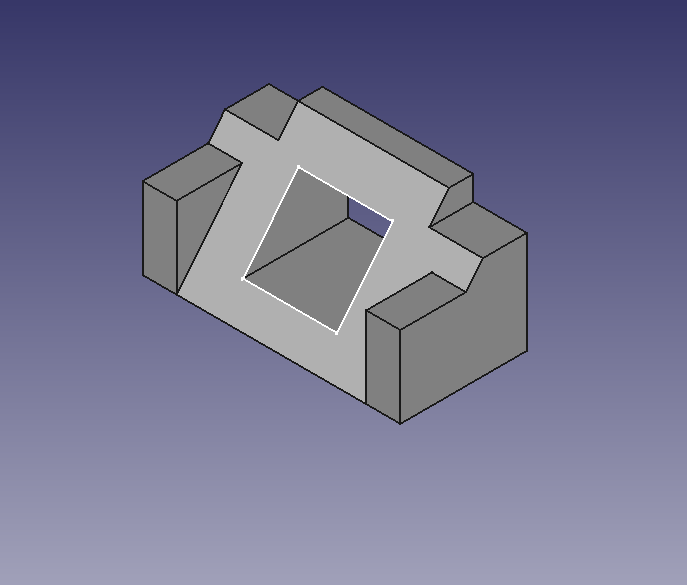
Steps: I first created a body and sketched a shape that looked like a triangle except the top side was flat. I then made the shape 3d and used the pocket tool to make the flat, top side have a protrusion in its middle. I then used the pad feature to have the bottom side of the triangle have a rectangular shaped protrusion coming out of it. I mirrored it on the other side as well. From here all I was missing was the hole in the middle of the shape. I did this by going to the back side of the structure, drawing a rectangle on the back side, and linking it with a rectangle on the slanted side. Then used the pocket feature to create a hole through the middle and voila, and I had the following object:
Object 2: This object was designed to hold a charging cable for my laptop
Object 3: These objects are meant to fit each other without falling apart
 John With a Blog